
Open Packages
Click Packages in the sidebar, then Add Package. Creating or reordering packages requires permission to manage packages.
Choose the type and validity rules
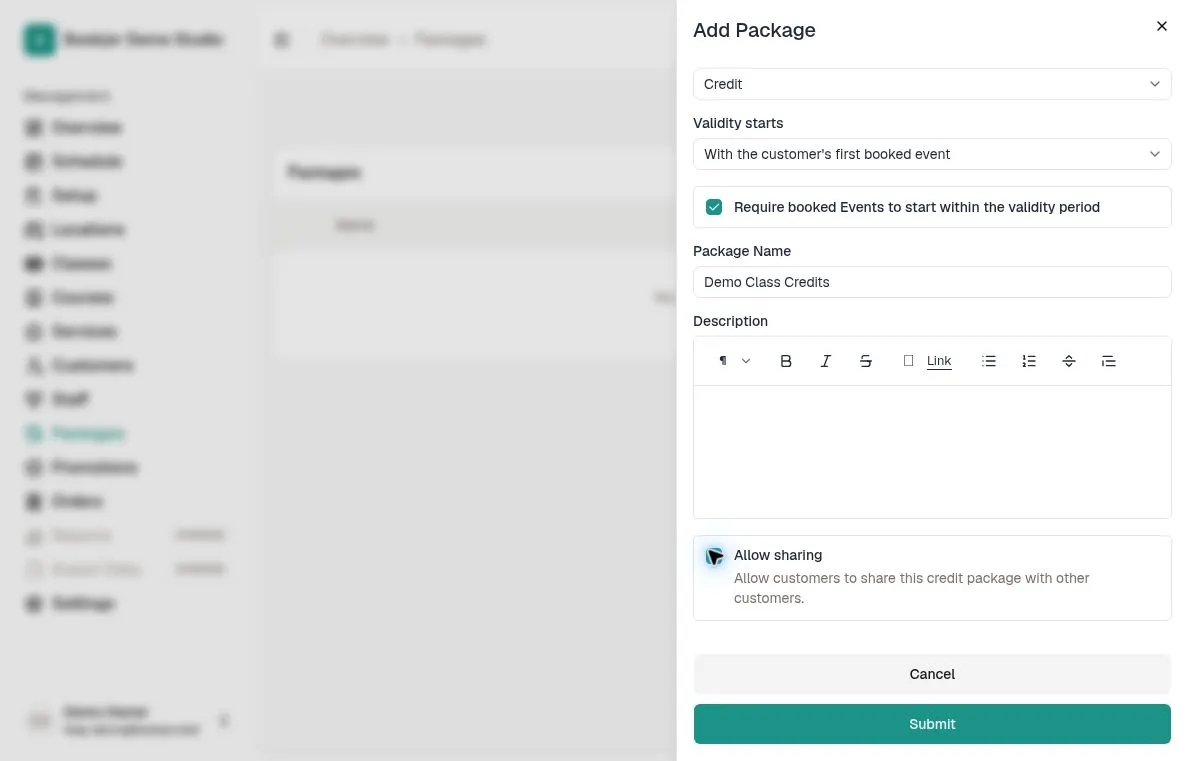
Choose Credit for bookings that deduct credits, or Unlimited Pass for unlimited eligible bookings during its validity period.
Under Validity starts, choose On purchase confirmation or With the customer's first booked event. The latter is the default for a new package and leaves a purchased package pending activation until it is first used for a booking; validity is based on that event's start time.
Decide whether booked events must start within the validity period. You can only set the package type, when validity starts, and whether events must start within validity when creating the package.
Enter the package details
Enter the name and description in the studio's default language. For Credit packages, Allow sharing lets customers share the package with other customers; linked family members can also use their primary customer's eligible shared credits.
Unlimited passes cannot be shared. Click Submit to create the package.
Add a purchasable plan
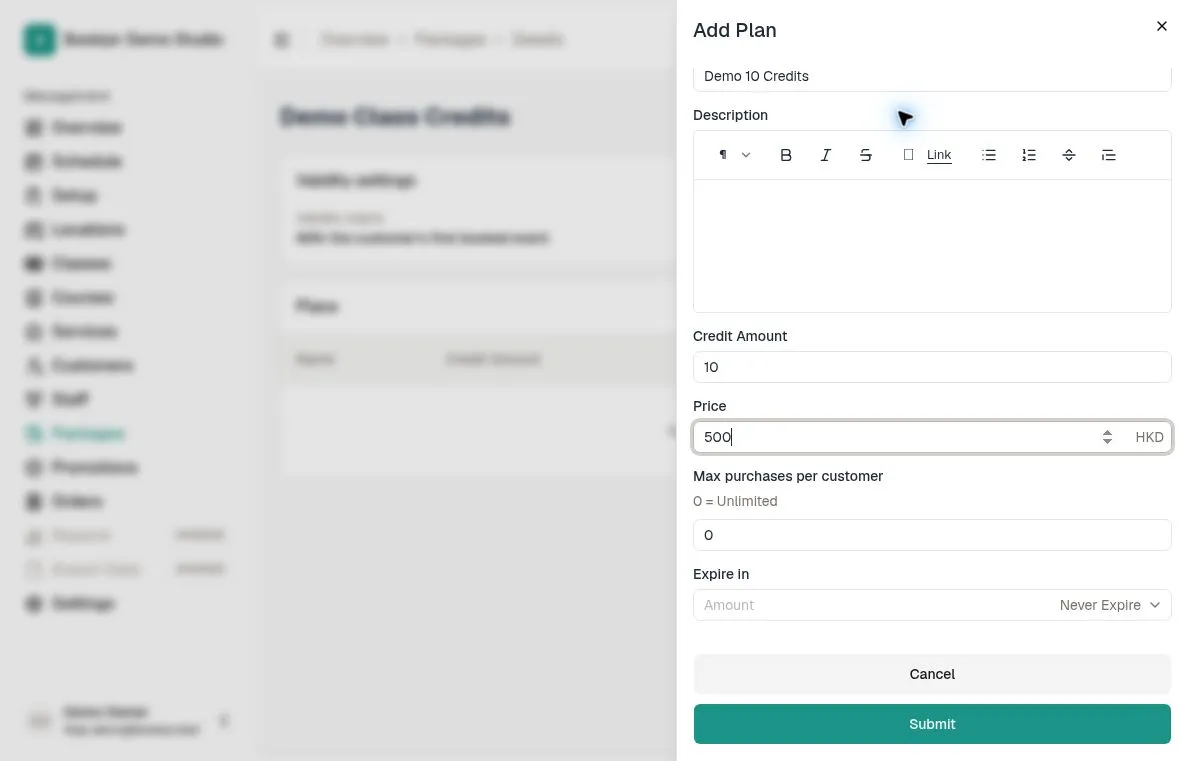
Open the package and click Add Plan. Enter a plan name, description, price, and Max purchases per customer; 0 means unlimited. Leave Active enabled if customers should be able to buy the plan.
Credit plans require a positive whole-number Credit Amount and can use Never expire or a duration in days, months, or years. Pass plans require a positive validity duration and have no credit amount. Click Submit.
Add the package to item pricing
Edit the pricing for a class, course, or service option and add the package as a payment method.
Set the credit cost for a Credit package. Unlimited Pass pricing uses zero credits; the pass still needs to be eligible for that item and its event dates.
Arrange the package list
Back on Packages, drag a row by its handle to change the catalogue order. The order saves automatically; wait for the success message before moving another row.
For keyboard sorting, focus the drag handle, press Space, use the arrow keys, and press Space again to drop it.
Check the customer flow
Use a test customer to check the plan, package balance or pass validity, and an eligible booking. For first-event activation, check the resulting start and expiry dates after booking.
To assign a package directly, use Add Package on the customer’s profile. You set its credits or duration there instead of selecting one of these purchase plans.