
Open the customer Packages tab
From Customers, open the intended package owner and choose Packages. The table shows remaining/initial credits, start date, expiry, and status; pass balances show N/A.
You need permission to manage customer packages to use Add Package. For a family member, open their own profile if they should own the package.
Select a package
Click Add Package and select an existing package. Create it on the main Packages page first if it is missing.
Use this form to set the credits or pass duration yourself. You do not select one of the package’s purchase plans.
Set credits or pass duration
For a Credit package, enter a positive whole number of Included Credits. Expiry Date is optional; leave it blank for no expiry. A selected date runs through the end of that day in the studio time zone.
For an Unlimited Pass, enter a positive duration and choose days, months, or years. A new manual grant starts when submitted. Adding the same already-active pass extends its current expiry; a pass still pending first-event activation cannot be extended this way.
Record the payment correctly
Choose Free for a complimentary package; Bookjor sets the amount to zero. Choose Pay later for a positive amount that is still owed.
Choose Offline collection only if you have already collected the full amount outside Bookjor. Enter a positive amount with no more than two decimal places in the displayed studio currency.
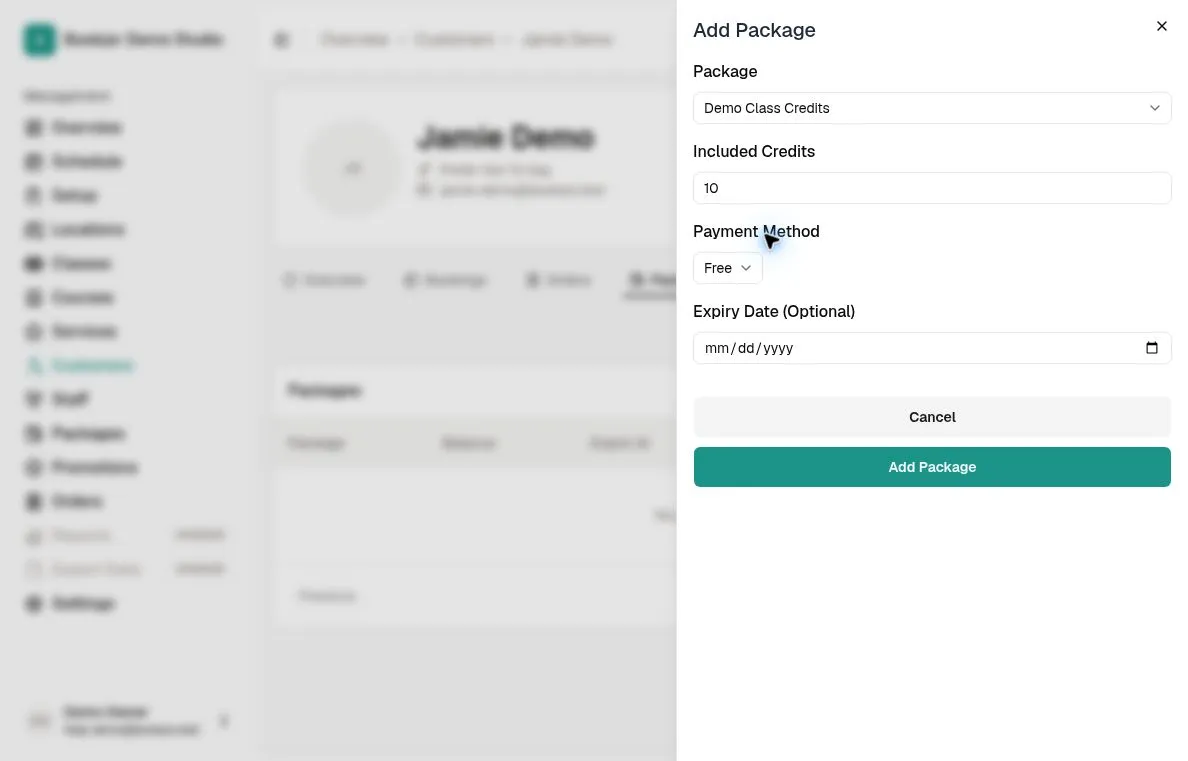
Submit and verify
Click Add Package and wait for confirmation. The grant creates a confirmed order and makes the package available subject to item-pricing and validity rules, including when you choose Pay later.
Check Packages and Orders after submission. Pay later remains unpaid; Offline collection records the payment already collected.