
Group classes
Set up the weekly schedule once
Repeat regular classes weekly or every other week, and schedule workshops individually.
Yoga Studio Software
Bookjor brings weekly schedules, substitute instructors, room availability, intro offers, waitlists, package credits, online payments, and booking changes into one workflow.
Stop answering every booking request by message.
Students check the schedule, choose a session, and book themselves. Your team can focus on teaching and the studio floor.
Free plan: 25 bookings per month, no credit card, no time limit.
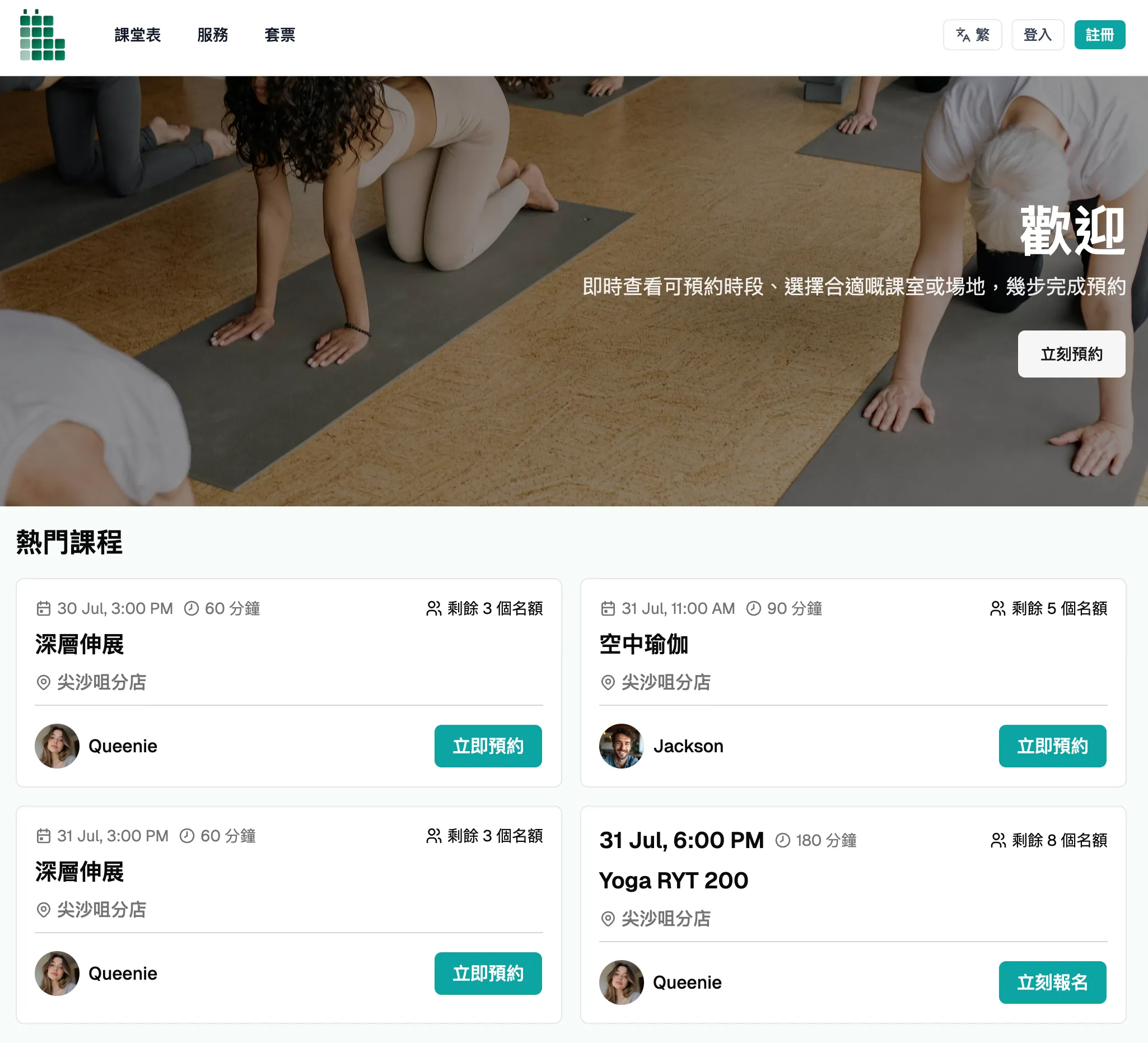
Two booking types, one studio
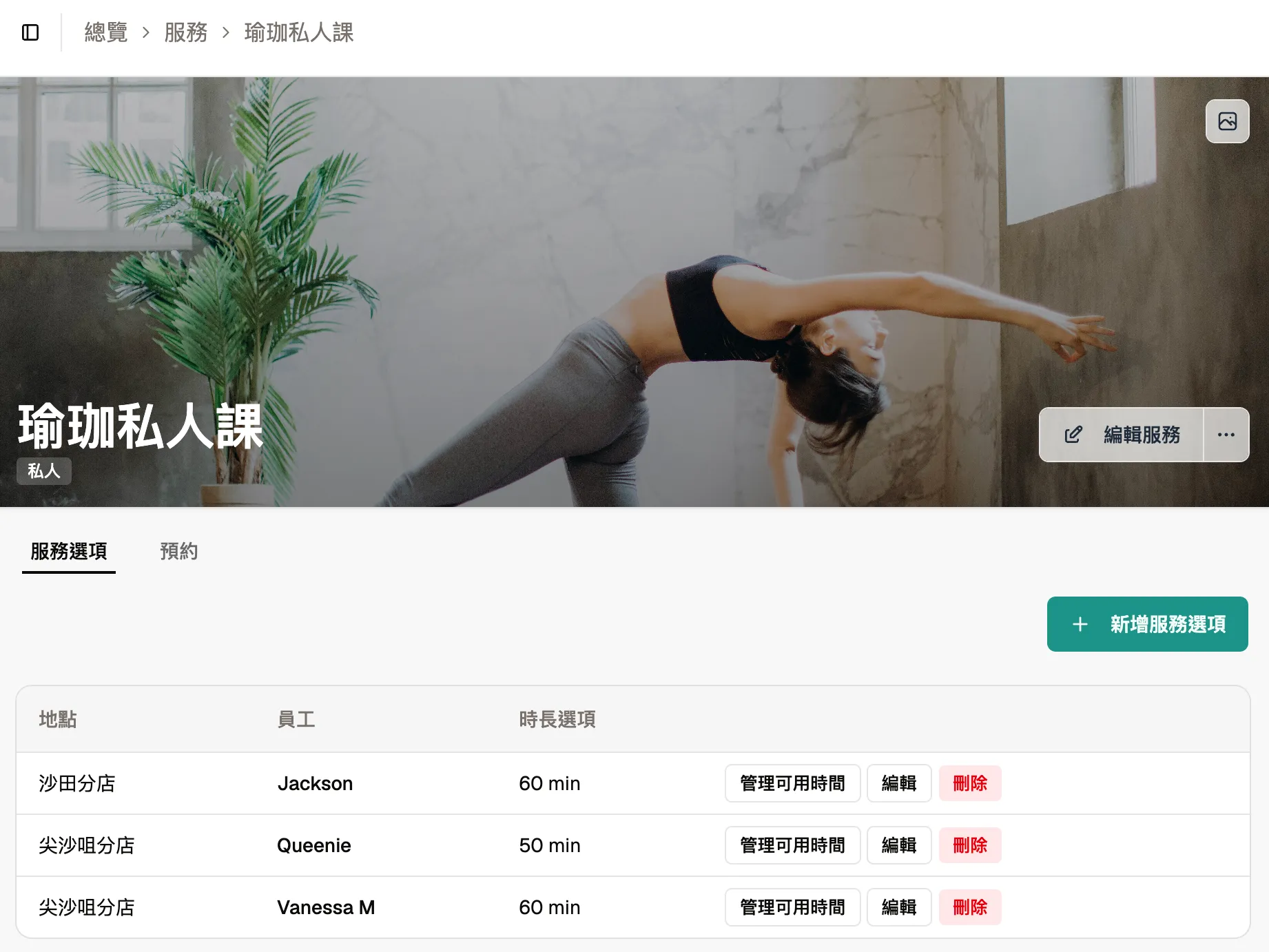
Set up recurring classes once. Private services open times according to the selected staff member’s or venue’s availability. Both use the same customer, package, payment, and calendar records.
Group classes
Repeat regular classes weekly or every other week, and schedule workshops individually.
Private sessions
Students choose an available time and book without waiting for a reply.
Each private service is configured to book one staff member or one venue. Availability is checked against that booking target’s schedule.
Yoga Studio Operations
Recurring schedules, private bookings, payment confirmations, waitlists, and venue availability are harder to manage when they live in separate tools. Bookjor brings them into one booking workflow.
Create recurring classes for vinyasa, yin, aerial, hot yoga, restorative, prenatal, intro sessions, and workshops. When an instructor, room, time, or capacity changes, update the schedule instead of recreating the week from scratch.
See instructor availability, substitute coverage, studio rooms, class capacity, and private session availability in one clear view. This helps staff catch double bookings and room conflicts before they affect clients.
Clients can pay when they book, reducing the checks between the schedule, payment, and order confirmation.
Each booking stays linked to the client profile, package balance, orders, attendance, and payment status, so staff can see what needs attention.
Create intro offers for first-time students, sell packages, and collect payment without separating those records from the main studio schedule. Each booking still respects capacity, room availability, package rules, and payment status.
Manage booking and cancellation deadlines and waitlists in booking settings. Each class or workshop follows its configured capacity.
Booking Calendar
A yoga studio schedule changes when an instructor needs a substitute, a workshop blocks a room, staff help a private client reschedule, or a spot opens in a full class. Bookjor keeps those changes visible in one calendar.
Each private service is configured to book one staff member or one venue. Availability is checked against that booking target’s schedule.
Schedule example
Example status: Rules checked
| Time | Schedule and booking details |
|---|---|
Sunrise Vinyasa Studio A · substitute instructor confirmed · 3 spots left | |
Private Yoga Session · Amelia R. Selected instructor’s availability checked before booking. Package and payment records stay with the booking. | |
Restorative Workshop Capacity, cancellation window, and waitlist settings shown together. |
Class Scheduling
A yoga studio booking system should understand recurring classes, workshops, seasonal schedules, substitute instructors, room capacity, and class-specific availability. Bookjor keeps class booking tied to the schedule your staff actually runs, not hidden inside a generic appointment form.

Private Sessions
Private yoga sessions, assessments, and one-on-one packages need a clear place on the schedule. Bookjor keeps them visible alongside workshops and regular classes. Each private service is configured to book one staff member or one venue, with package, payment, and client records in the same workflow.
Online Payments
Online booking is only useful when the payment and package records stay with it. Bookjor connects class, workshop, and private-session bookings to Stripe payments, package credits, and order history that staff can review in one system.
Studio Operations
Yoga studios do not run as a list of unrelated time slots. Classes, private sessions, substitute instructors, rooms, workshops, packages, and last-minute changes all affect one another throughout the day. Bookjor is built around that day-to-day workflow.
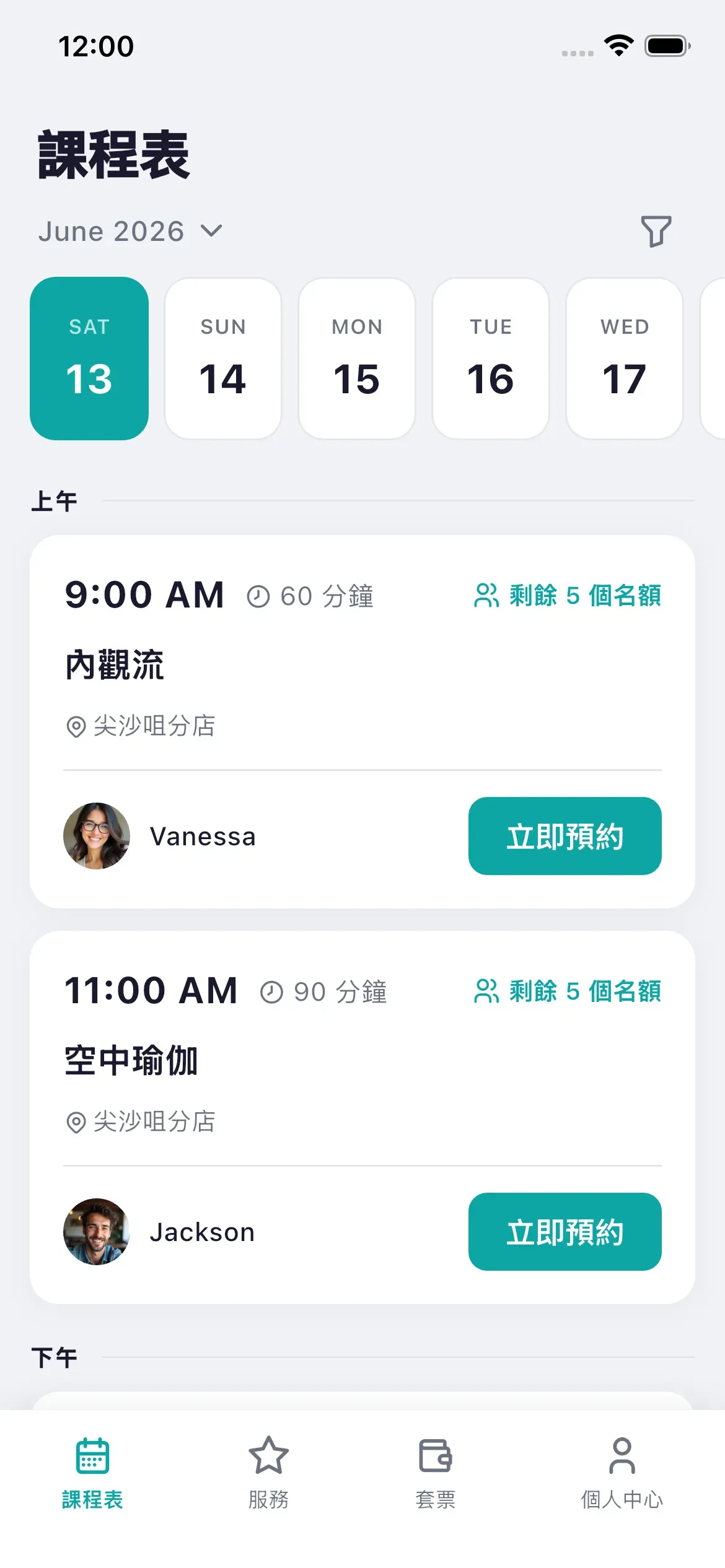
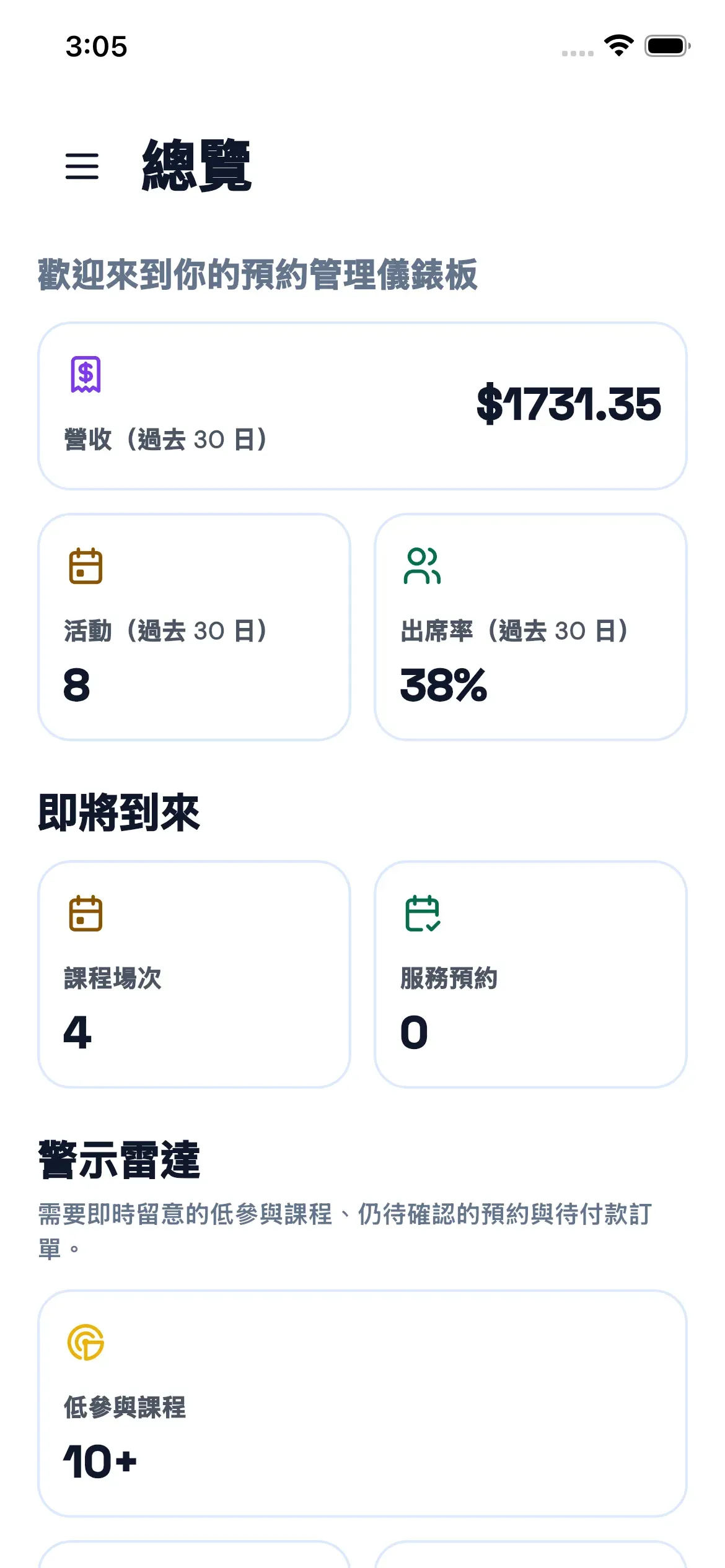
Booking website and apps
The booking website lets students book themselves. Paid plans include the Client App, while the Admin App keeps the team’s schedules, attendance, payments, and follow-up work together.
Paid plans · Client App
Admin App
Start with one class
Enter a real class, instructor, time, and capacity. Share the booking link through your usual messaging channels, Instagram profile, or website. You do not need to move every record on day one.
Set its time, instructor, venue, and capacity, then repeat it in the weekly schedule.
Keep your usual conversations with students, and let the booking website handle availability and reservations.
Test the booking flow first, then set up packages, intro offers, payment methods, and cancellation rules.
Start free
The free plan has no time limit and needs no credit card. Upgrade when you need more than 25 bookings per month or additional plan features.
Paid plans start at USD 20/monthFAQ
Bookjor is built for studios that run classes, private sessions, packages, rooms, payments, and staff operations together. A general appointment scheduler can reserve time, but Bookjor is designed around the way yoga studios actually operate.
Yes. Bookjor supports recurring class schedules so studios can run weekly yoga classes without recreating each class manually. It also keeps capacity, instructor changes, room usage, and booking status visible.
Yes. Each private service books one staff member or one venue and checks that booking target’s availability. Package usage and payment status stay with the booking.
Yes. Scheduling, payments, package records, and attendance stay together, so staff spend less time reconciling messages and spreadsheets.
Yes. Bookjor lets yoga studios accept online credit and debit card payments through Stripe for classes, private sessions, workshops, packages, and other eligible bookings.
Yes. Add your bank-transfer details to the checkout payment instructions. A bank-transfer order stays pending until you receive the payment and confirm it in the admin system. You can also offer Stripe card payments where your payment account supports them.
Free plan: 25 bookings per month, no credit card, no time limit.
Yes. Workshops, recurring classes, private sessions, instructors, venues, packages, and payment status can be managed in the same calendar.
Set booking and cancellation deadlines. When a full class has a place available, Bookjor sends time-limited invitations in waitlist order; a client joins the class only after accepting. Late cancellations do not automatically restore package credits. Contact the studio for help with rescheduling.
Start with a real class time, instructor, and capacity. Add packages, payments, and cancellation rules gradually. Setup time depends on your schedule and settings.
Yes. Keep using your usual messaging channels for individual questions, and share your booking link so students can check times and book themselves.
No. Students can browse your schedule and book on your booking website. The Bookjor Client App is available on paid plans for students who prefer to manage bookings and packages in an app.
Yes. On paid plans, Bookjor can help import customer records and package balances in the required CSV format. You can start free with a real class schedule to test the booking flow.
Start free
Free plan: 25 bookings per month, no credit card, no time limit. Paid plans start at USD 20/month
We use site analytics to understand which pages help studios evaluate Bookjor. You can deny optional tracking, allow your selection, or allow all preferences.