Open the service bookings page
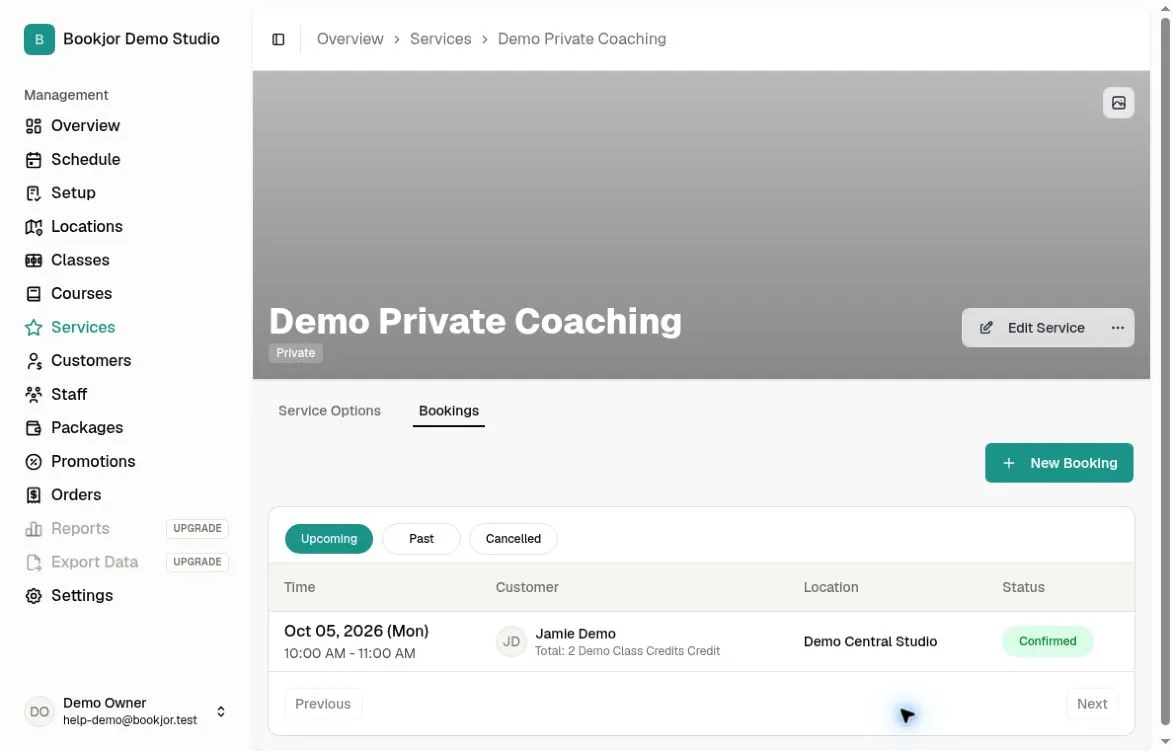
Navigate to the Services page and click a private service. Switch to the Bookings tab to see a table of all appointments.
Each row shows the start time, customer, location, and status.
The Bookings tab requires View service bookings. Assigned access shows only bookings assigned to you; All shows all permitted studio bookings. Payment amounts and order links also require View orders.
Filter by status
Use the status filters to show Upcoming, Past, or Canceled bookings. Upcoming bookings are those that have not yet started.
Confirm a booking
Open a Pending booking and review its customer, time, and associated order/payment status before clicking Confirm Booking. This action requires Manage service bookings for that appointment.
Pending can reflect a payment or order still being processed; there is no per-service manual-approval setting in the service form. Confirmation marks the booking and its pending events confirmed and also confirms an associated unconfirmed order, so do not use it as a substitute for checking payment.
Bookjor sends the customer a confirmation notification. Pending bookings already reserve time and are included in conflict checks; confirmation is not the point at which time first becomes blocked.
View booking details
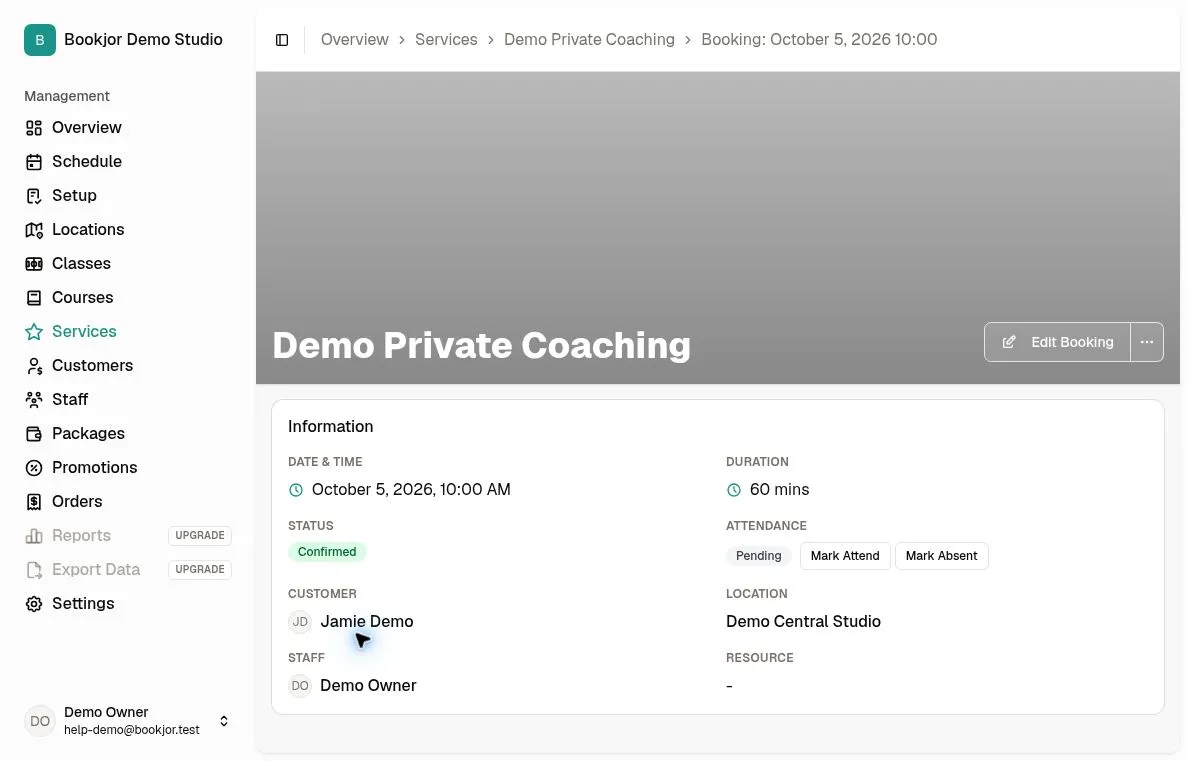
Click any booking row to see the full details: date and time, duration, status, attendance, customer, location, staff, and resources.
Marking attendance is a separate permission from managing bookings. Customer notes and waiver details are also shown only when your role allows them.