
Open the customer’s membership agreement
In Memberships, open the customer’s agreement and click Manage membership. You need permission to view and manage memberships to use the menu. End now also requires permission to view and manage orders. The available actions depend on the agreement’s status.
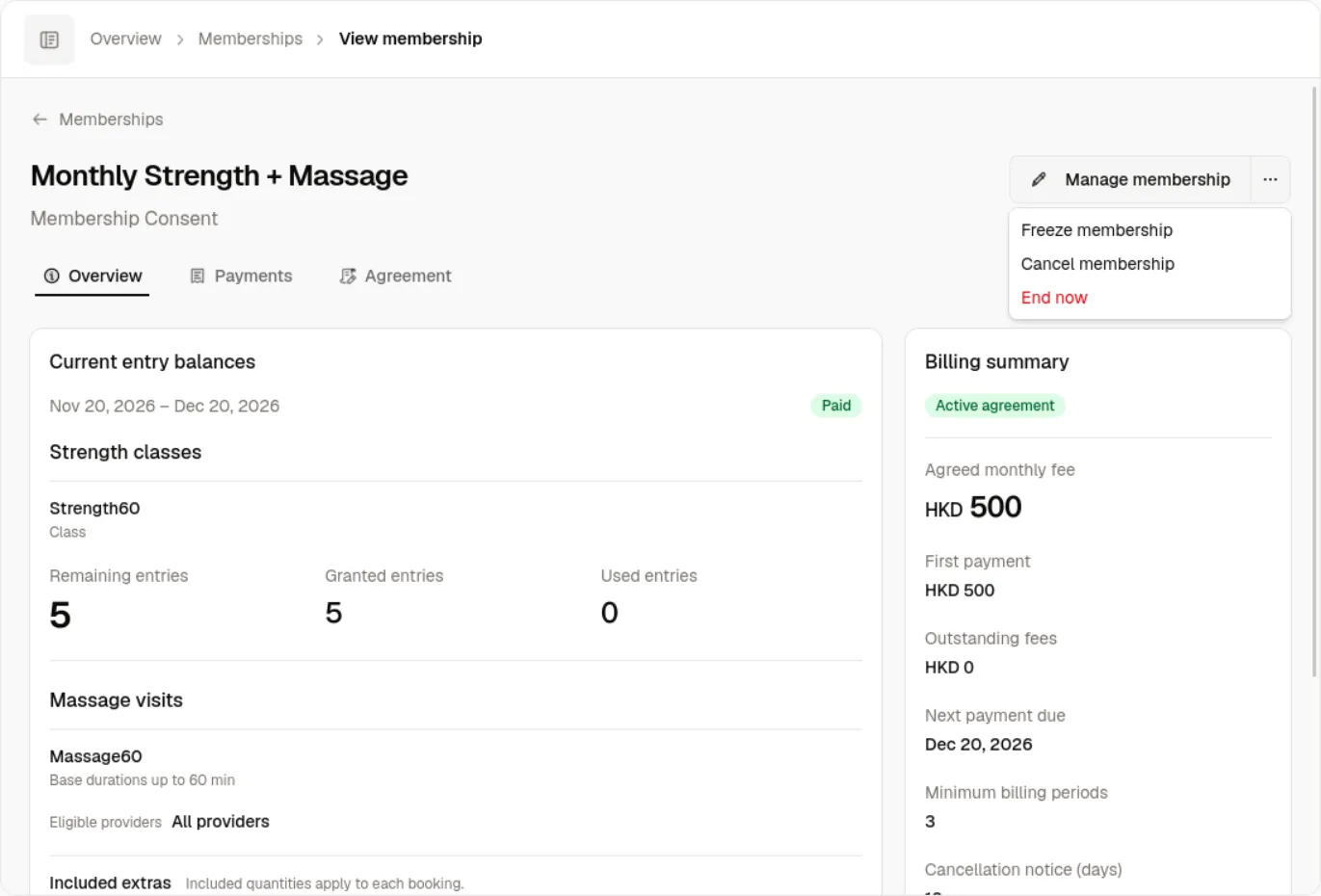
Freeze the membership or adjust its return
Choose Freeze membership, set a future Resume timestamp, and enter a Reason. Click Preview consequences and review the projected dates and any change to scheduled cancellation fees. Tick “I understand the changes shown above.” and click Freeze membership to start the freeze immediately.
To adjust a frozen agreement, choose Change planned resume or Resume now. Enter a Reason, review the new preview and confirm with the corresponding button. While frozen, the member cannot use any membership benefit for a new booking, even for a session after the planned return. Existing confirmed bookings remain valid.
On resumption, the actual time frozen extends the current period’s end. Each benefit keeps its remaining entries without receiving a fresh allowance. Previously accrued fees are still owed.
Schedule cancellation under the agreement
Choose Cancel membership and click Preview consequences. Compare Notice period ends, Minimum commitment boundary, and Cancellation effective end, then check Outstanding fees and Remaining scheduled fees / periods. The agreement ends at the first billing-period boundary that satisfies both the minimum commitment and the notice period. If notice runs even a little past the current period, at least one more full period fee is due, not a prorated amount.
Tick “I understand the changes shown above.” and click Confirm cancellation. Bookjor revokes renewal autopay immediately, not on the effective end date. Current authorized access is retained until the applicable cutoff, and fees stop accruing at the effective end. Outstanding and scheduled fees are still owed and can be paid manually. A charge already submitted may settle; there is no automatic refund.
End the membership now only as an exception
Use End now to end an active, frozen, or cancellation-scheduled agreement immediately and waive what is still owed. This is not how you cancel a pending enrollment; handle that separately on its enrollment order.
Click Preview consequences. Check the fee orders being cancelled, the unpaid amounts and future fees being waived, the money and confirmed bookings being kept, and the booking benefits being removed. Enter a Reason, tick the confirmation checkbox, and click End membership now. If the consequences change, reload the preview and review it before confirming again.
Remaining access stops immediately and no new fees are raised. Confirmed bookings, collected amounts (including partial payments), and payment history are preserved. A payment already in flight can still settle without restoring access. There is no automatic refund; review the order transaction separately if money should be returned.