
Open Auto Cancellation
Open the class detail page, open More Options in the header, and select Auto Cancellation.
The rule belongs to this class and applies to its future sessions. Rules for other classes are unchanged.
Set the reservation threshold
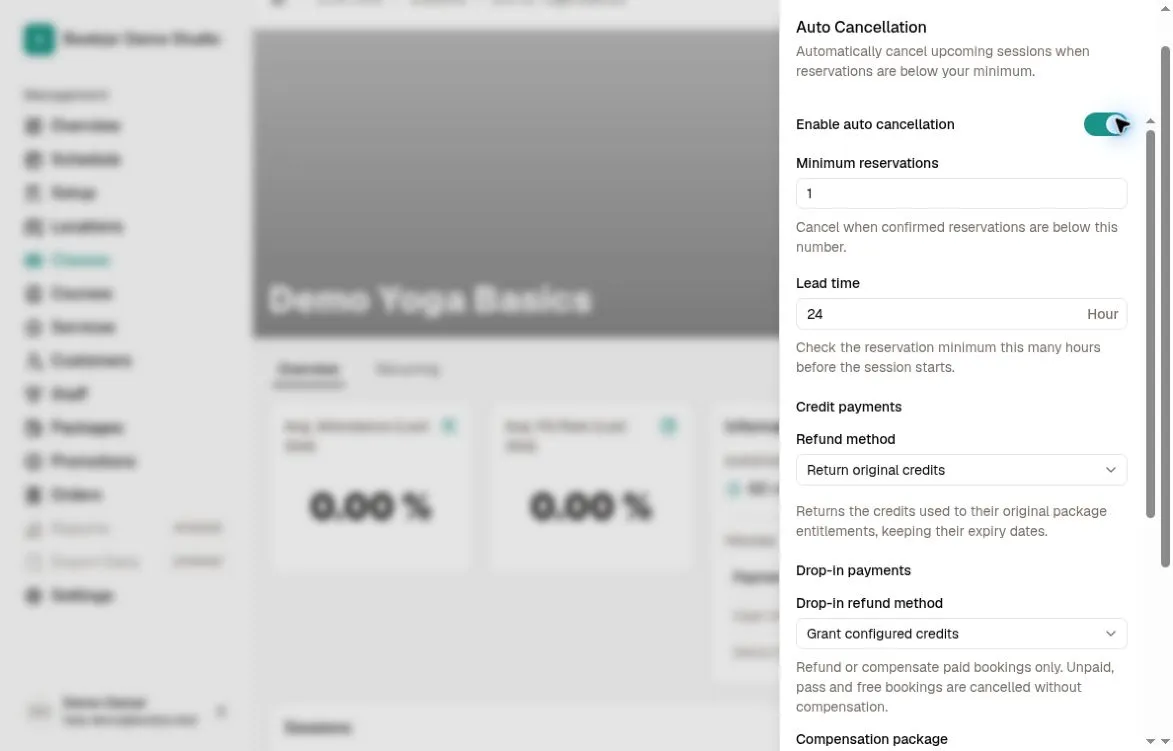
Turn on Enable auto cancellation and set Minimum reservations to a whole number of at least 1. Set Lead time to a whole number from 1 to 8760 hours before the session starts.
The check uses reserved places, including pending reservations such as bookings awaiting bank-transfer confirmation. While the rule and session start time are unchanged, each eligible session is checked once after the lead-time cutoff and before it starts. A count below the minimum cancels the session; a count meeting the minimum keeps it. A later drop in reservations alone does not trigger another check.
Set separate payment policies
For Credit payments, choose No compensation, Return original credits, or Grant configured credits. Returning original credits restores the recorded deductions to their original package entitlements with the original expiry dates; it does not extend expired credits.
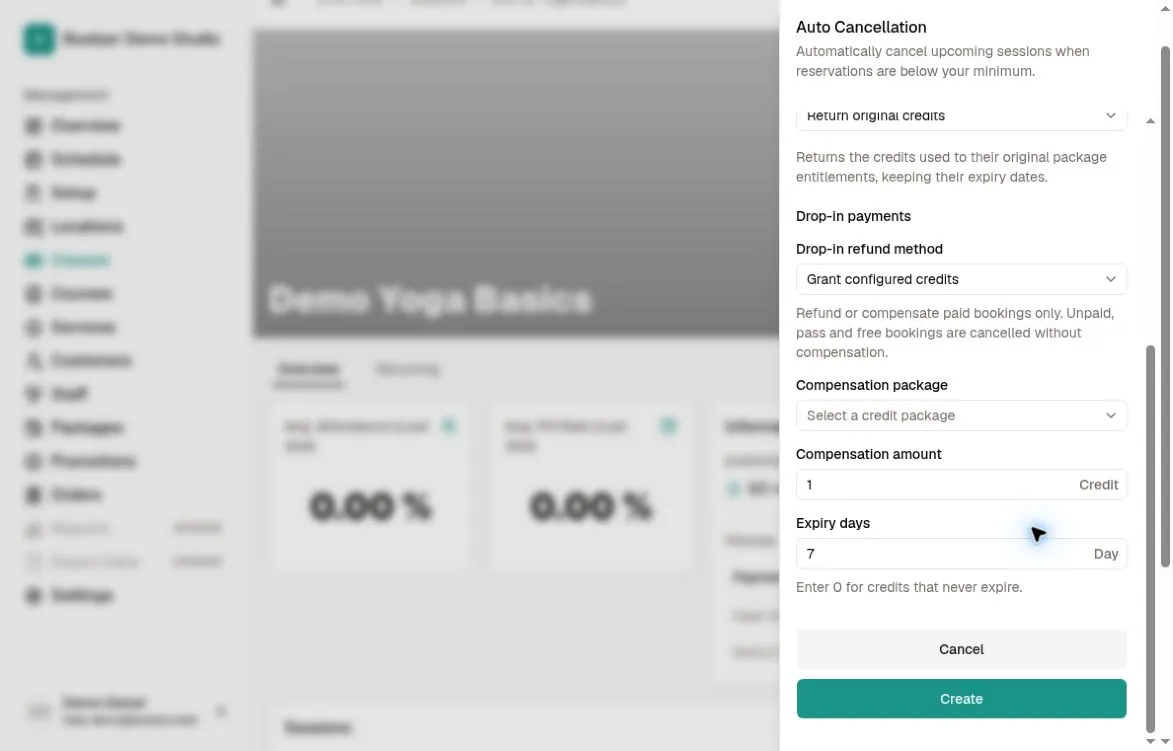
For Drop-in payments, choose No compensation or Grant configured credits. Each configured-credit option requires a credit package and a positive amount. Set expiry days from 0 to 3650; 0 means no expiry. The two payment groups can use different settings.
Only eligible successful positive payments receive refunds or compensation. Unpaid, free, zero-amount and pass bookings receive none. Granting credits does not refund money to the original payment method.
Save or disable later
Click Create for a new rule, or Save when editing. Reopen the sheet to check the saved enabled state and both payment policies.
To stop future checks, turn Enable auto cancellation off and save. Canceled sessions are not restored. Editing or re-enabling the rule, or changing a session’s start time, clears the relevant earlier decisions so eligible upcoming sessions can be checked again. These rules apply to class sessions, not course sessions or private bookings.