
Open the Reports overview
Click Reports in the sidebar. The studio must have Reports enabled and your role needs permission to view reports.
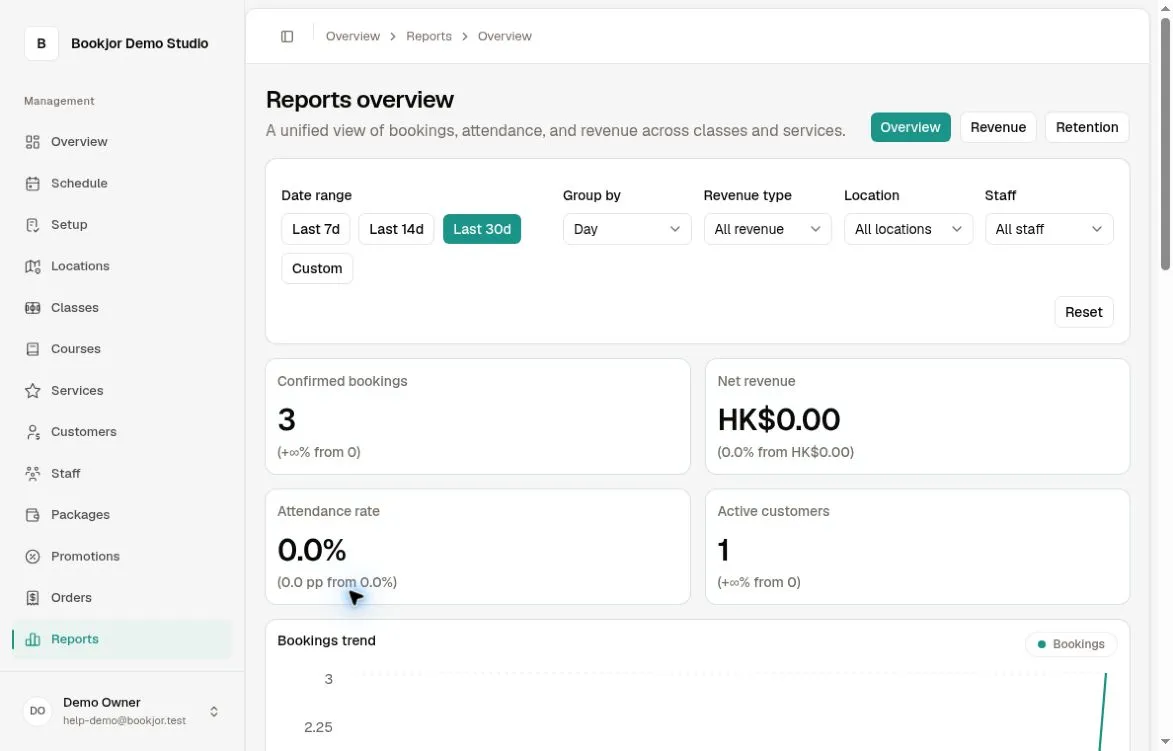
Choose 7, 14, or 30 days, or apply a custom range of up to 90 days. Group by day, week, or month and use Revenue type, Location, and Staff as needed. Report dates use the studio’s timezone.
Read the summary metrics
Confirmed bookings counts confirmed customer booking records created in the selected period, not unique sessions or the dates on which sessions take place. Course sessions can each contribute a booking record.
Attendance rate is the share of those confirmed records marked Attended; records with other attendance states remain in the denominator. Active customers counts distinct customers in those records, excluding family-member profiles.
Net revenue uses recognized revenue less refunds and can include package credit usage, expired credits, and pass revenue. It is not simply all orders sold or the amount paid out by a payment provider.
Each card compares with the immediately preceding period of the same length.
Read charts and rankings in context
Bookings trend follows booking-record creation dates; Revenue trend follows revenue recognition. Revenue type mix counts eligible revenue items, including package expiry or passes where applicable, so it need not equal Confirmed bookings.
Top classes and services show booking counts and net revenue. Top staff shows booking counts and attendance rates. These are different measures, so use the column headings when comparing.
Location and Staff filters can include Course booking counts while excluding Course revenue. Pass and package-expiry revenue are also excluded by those filters.