
Open the Revenue report
Click Reports in the sidebar, then Revenue. Reports must be enabled for the studio and your role must have permission to view them.
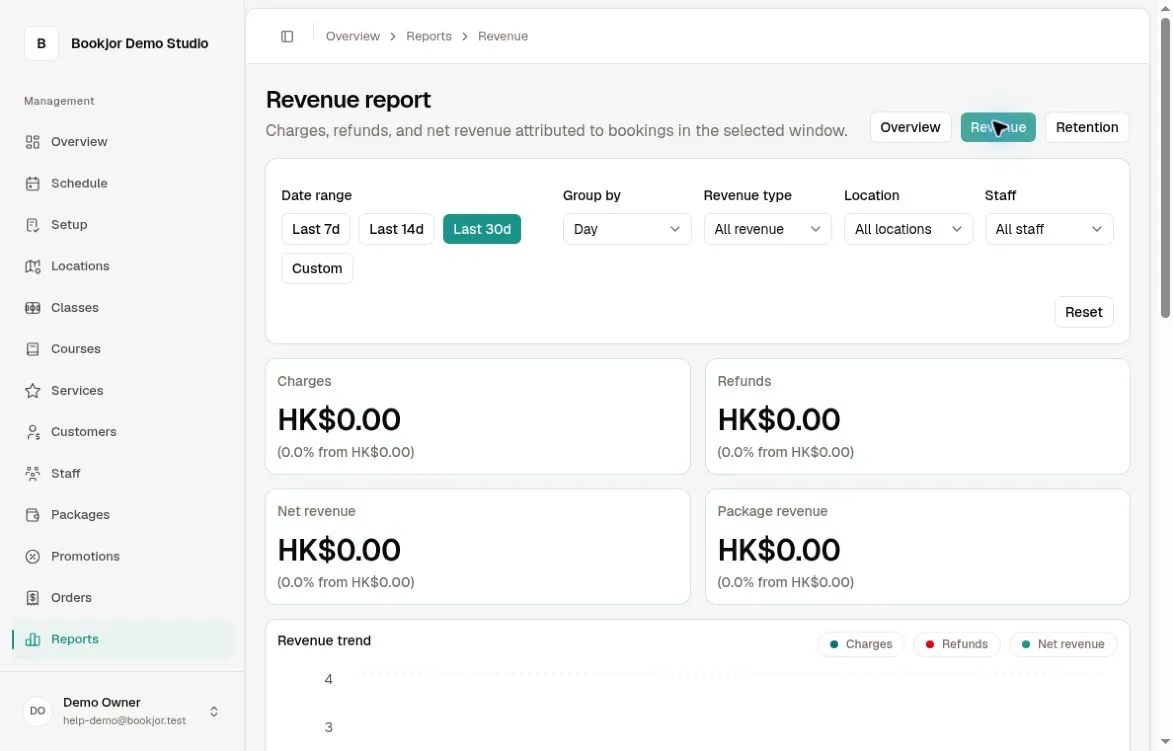
The summary cards show Charges, Refunds, Net revenue, and Package revenue, with comparisons against the immediately preceding period of the same length.
Choose the reporting period
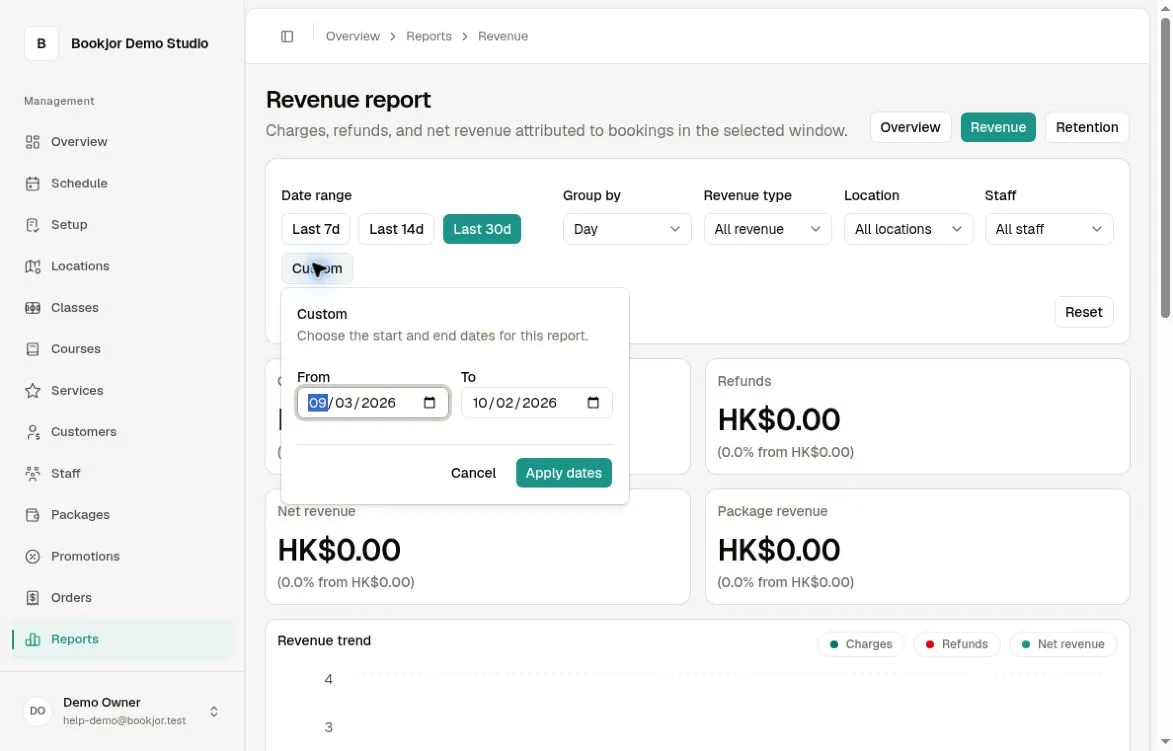
Choose Last 7d, Last 14d, or Last 30d, or open Custom, enter From and To dates, and click Apply dates. A custom range can contain at most 90 days, including both dates.
Group charts by day, week, or month. Dates are interpreted in the studio’s timezone. Reset returns to the last 30 days, daily grouping, all revenue types, and no location or staff filter.
Understand what revenue includes
The report recognizes successful charge and refund transactions in the selected period for eligible booking and course items. Net revenue is charges minus refunds; it is not a bank payout total.
Package revenue includes the money value of credits used for bookings, expired credits, and pass revenue recognized over the pass’s validity period. Ordinary credit-package purchases are not recognized as revenue at the time of sale.
Choose All revenue, Classes, Services, or Courses. Location or Staff filters exclude Course revenue; pass revenue and package-expiry revenue are also excluded when narrowed to a location or staff member.
Read the breakdowns
Review Revenue trend, Revenue by type, Payment mix, By location, and By staff. Revenue type includes package expiry and passes where applicable, even though they are not separate filter choices.
The staff breakdown shares class or service revenue equally among assigned staff. Course, pass, and package-expiry revenue are not allocated to those location/staff rows, so the rows may not add up to the unfiltered total.