
Open General settings
Go to Settings > General. You need permission to edit general settings to change registration options.
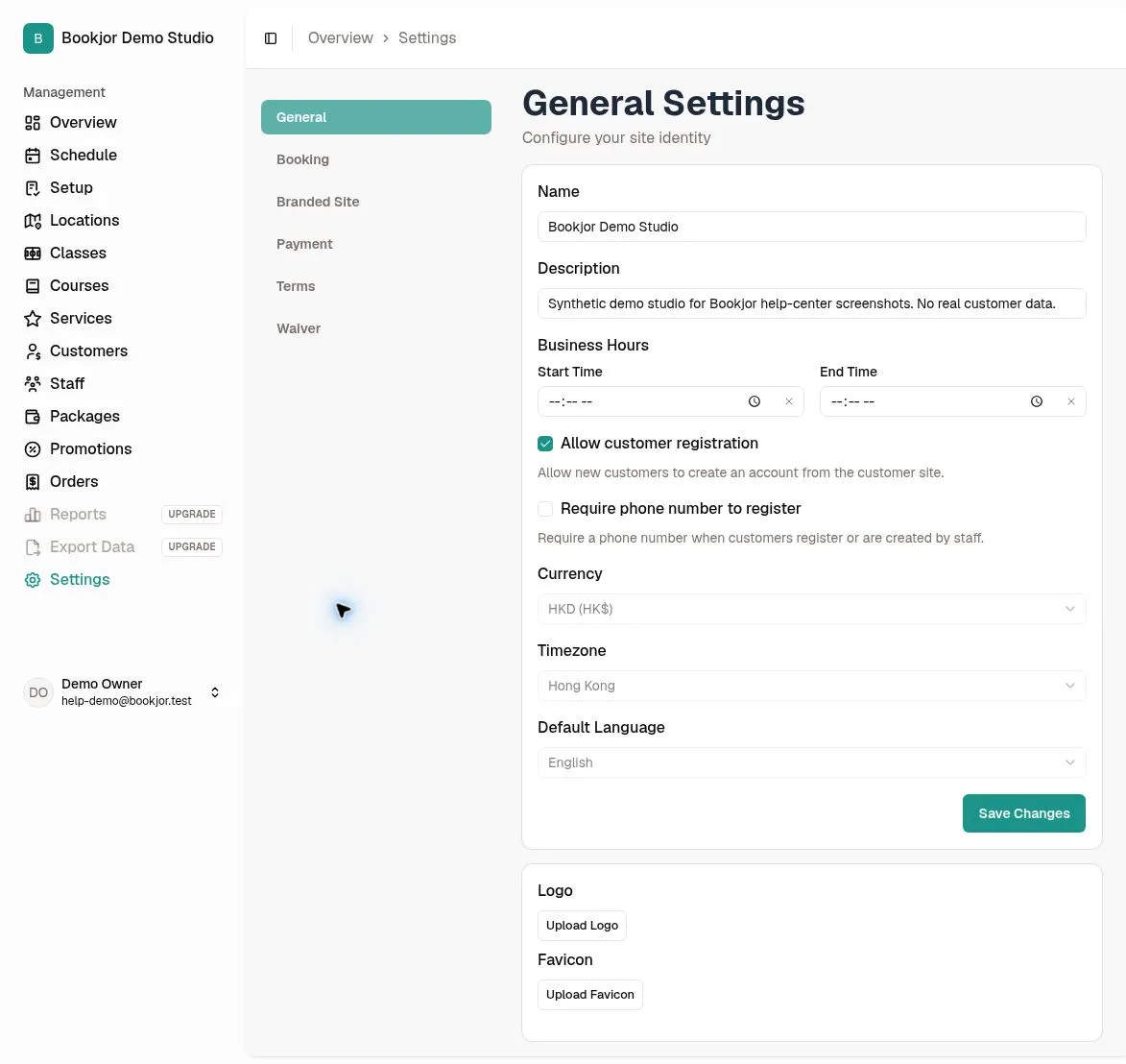
Choose whether customers can self-register
Select Allow customer registration to let new customers create accounts on your customer site. Clear it if staff should create the customer records.
Disabling self-registration does not disable existing customer sign-in or prevent authorized staff from adding customers.
Choose whether phone numbers are required
Enable Require phone number to register if new customers must provide a phone number. This applies both to customer self-registration and to the admin Add Customer form.
Numbers must include a country code, such as +85212345678. Turning the option off makes the field optional for new registrations.
Save and check the customer flow
Click Save Changes and wait for confirmation. Open the customer site in a private browser window to check registration availability and whether the phone field is required.
Successful regular customer registration, including a profile created by staff, triggers a welcome email with a customer-site link. This page does not provide a welcome-email toggle.