See operations clearly
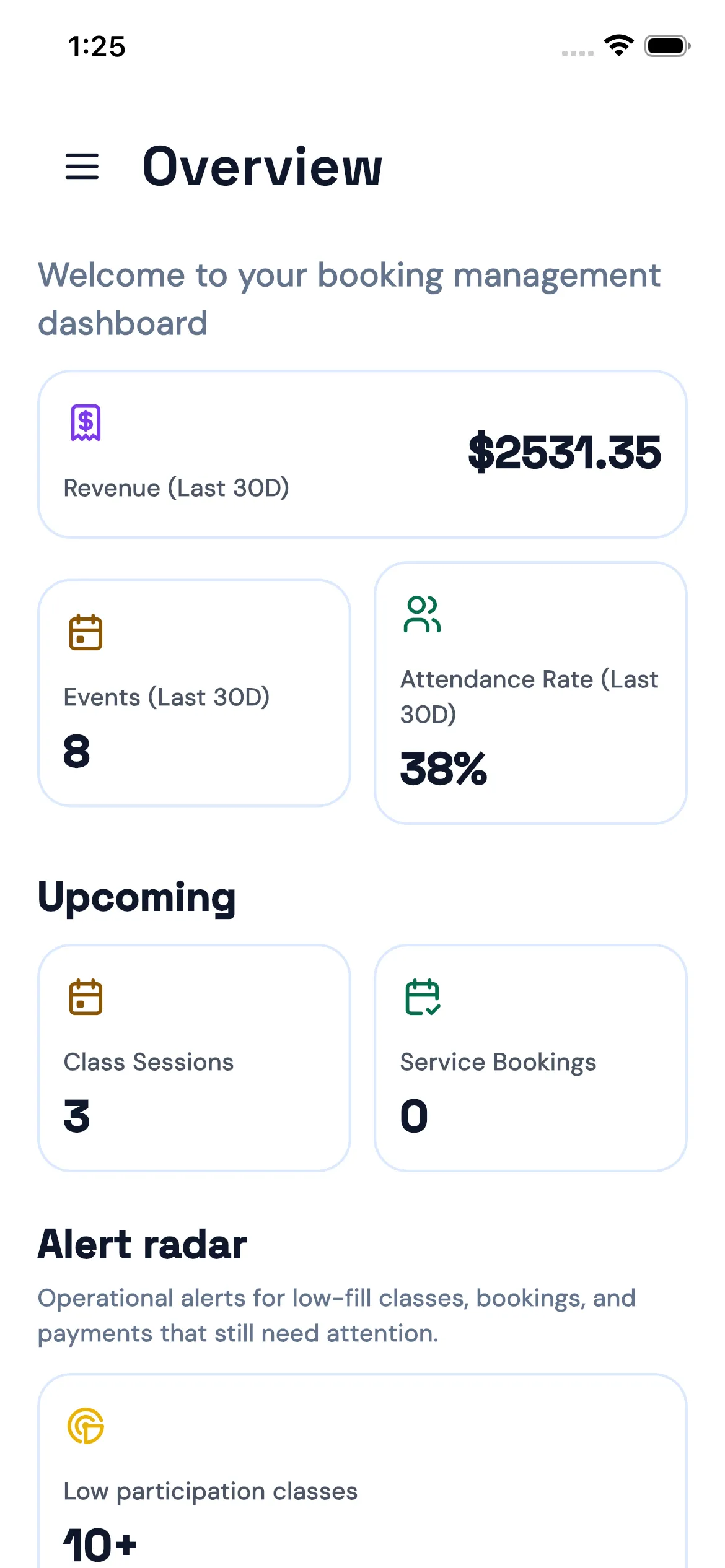
Revenue, event count, and attendance rate sit together in one dashboard.
 BOOKJOR
 Revenue, classes, capacity, and payment statusare visible as soon as the app opens, so owners,front desk staff, and instructors stay aligned.
Overview
The management dashboard brings together 30-day revenue, event count, attendance rate, upcoming sessions, and alert radar, so owners and front desk teams do not need to hunt through separate views.
Revenue, event count, and attendance rate sit together in one dashboard.
Upcoming class sessions, service bookings, and location schedules are ready when the app opens.
Low participation classes, pending bookings, and payment issues can be reviewed from one place.
Schedule
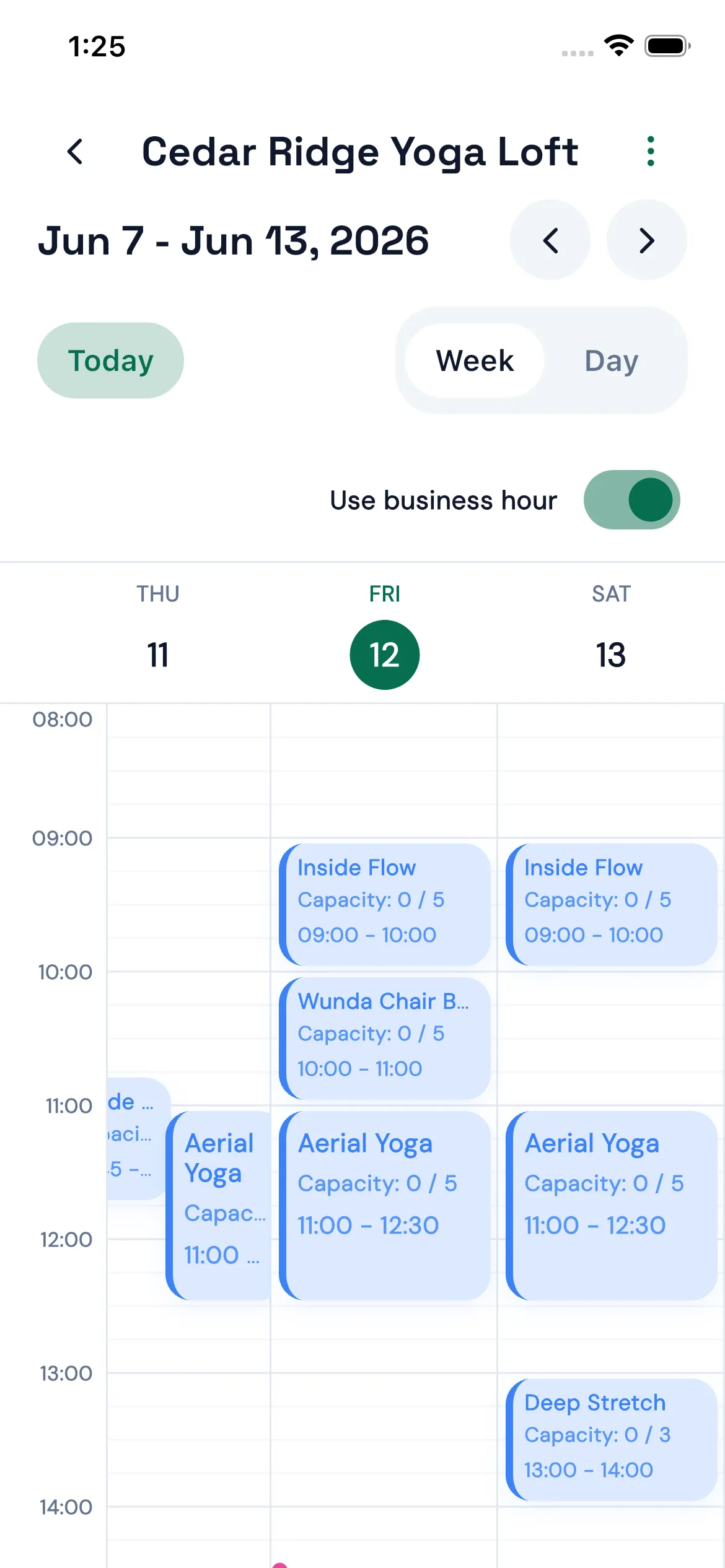
The weekly view shows each location’s schedule, class times, capacity, and business-hour settings, so the team knows what needs to be prepared.
Switch between a weekly or daily schedule by location, keeping the front desk and instructors aligned.
Each class shows enrolled count and limit, making full classes and low-fill sessions easier to manage.
Use business hours as the scheduling baseline to reduce clashes and out-of-hours bookings.
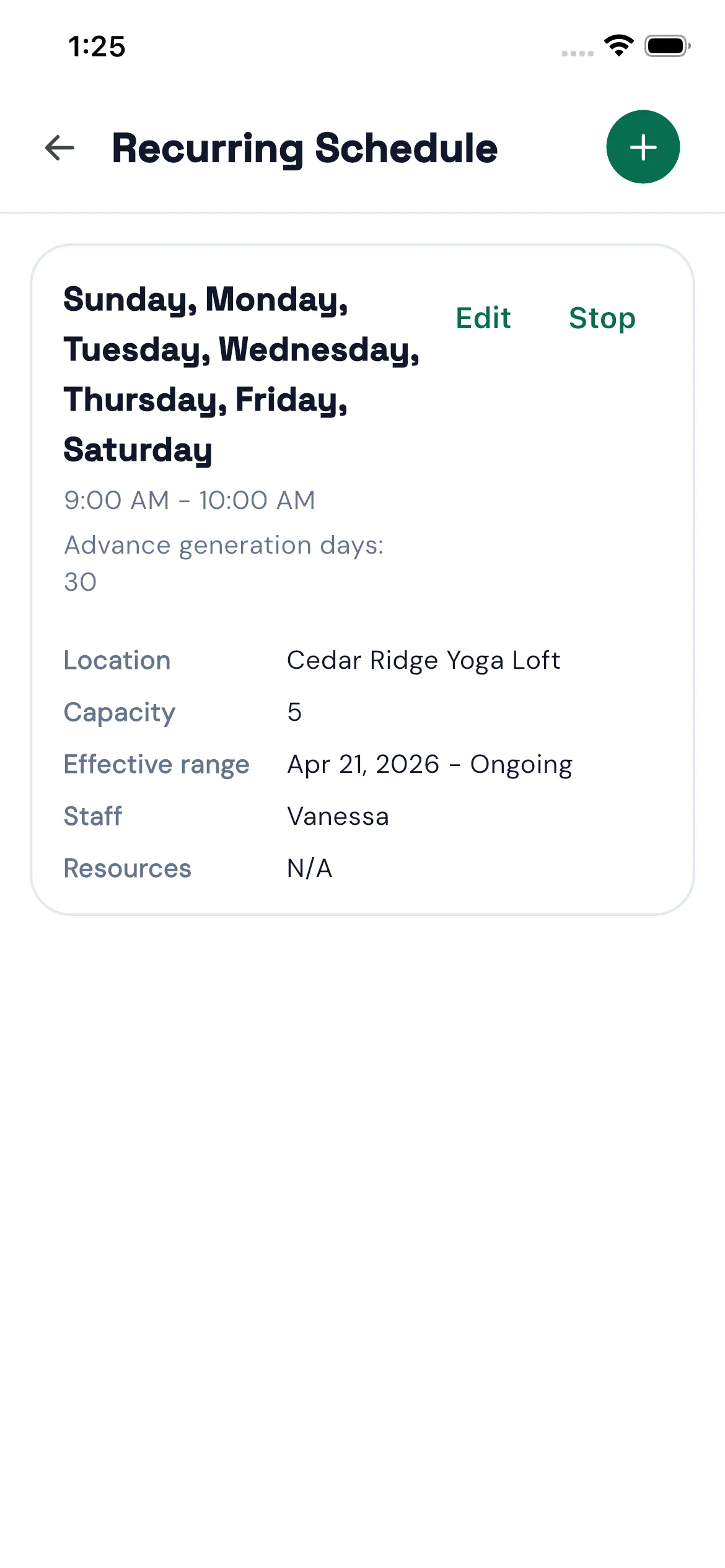
For yoga, Pilates, tutoring, or group classes that run every week, set the location, weekdays, capacity, start time, duration, and effective range from your phone. Bookjor generates the schedule for you.
Tie recurring classes to the right studio location so each calendar stays organized.
Select the weekdays that repeat instead of creating each session one by one.
Set start time, duration, and capacity in the same setup flow.
Use an effective range for seasonal classes, short courses, and ongoing programs.
From contact details and waiver status to attendance rate and package credits, Bookjor Admin App keeps the information your front desk needs in one flow.
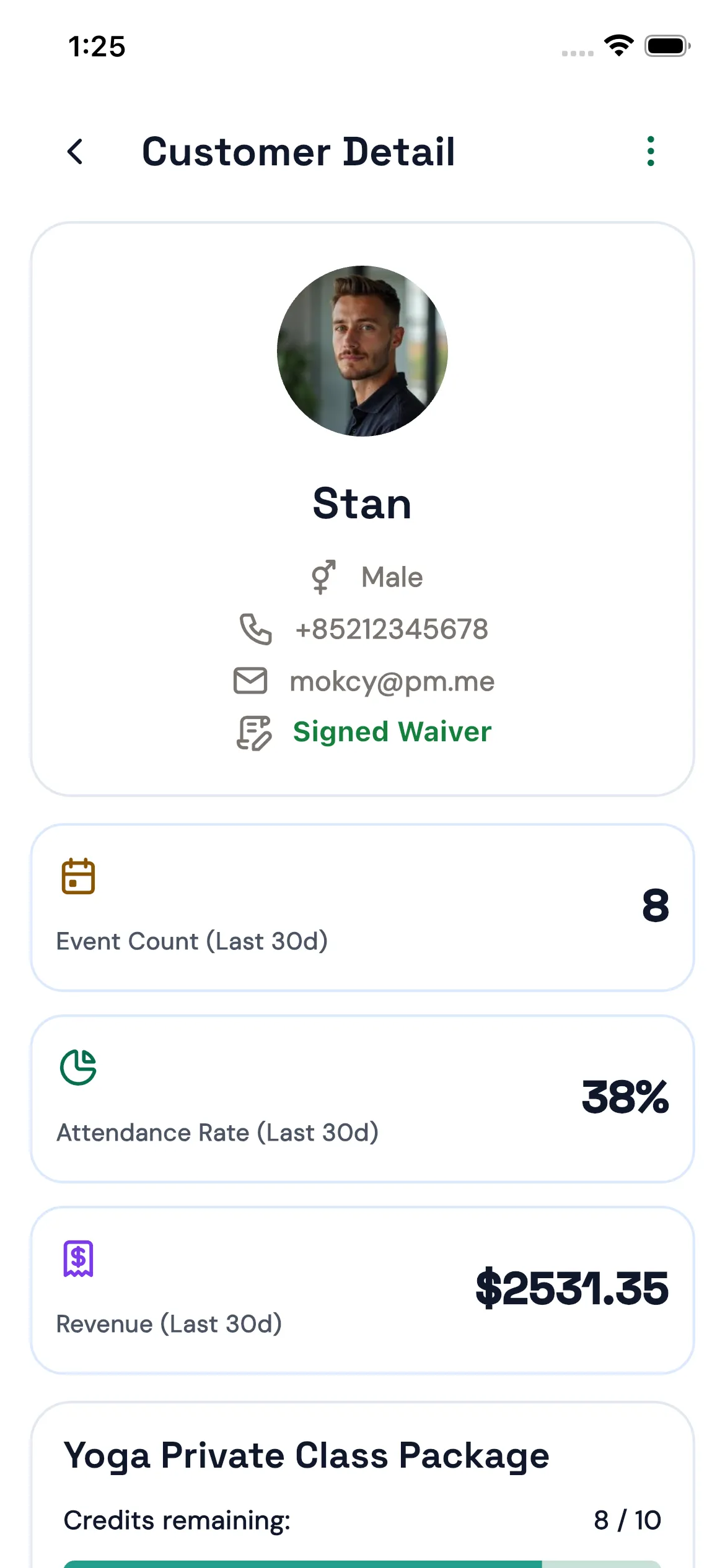
Customer profile, contact details, and waiver status are visible together.
Recent events, attendance rate, and customer revenue are easy to review.
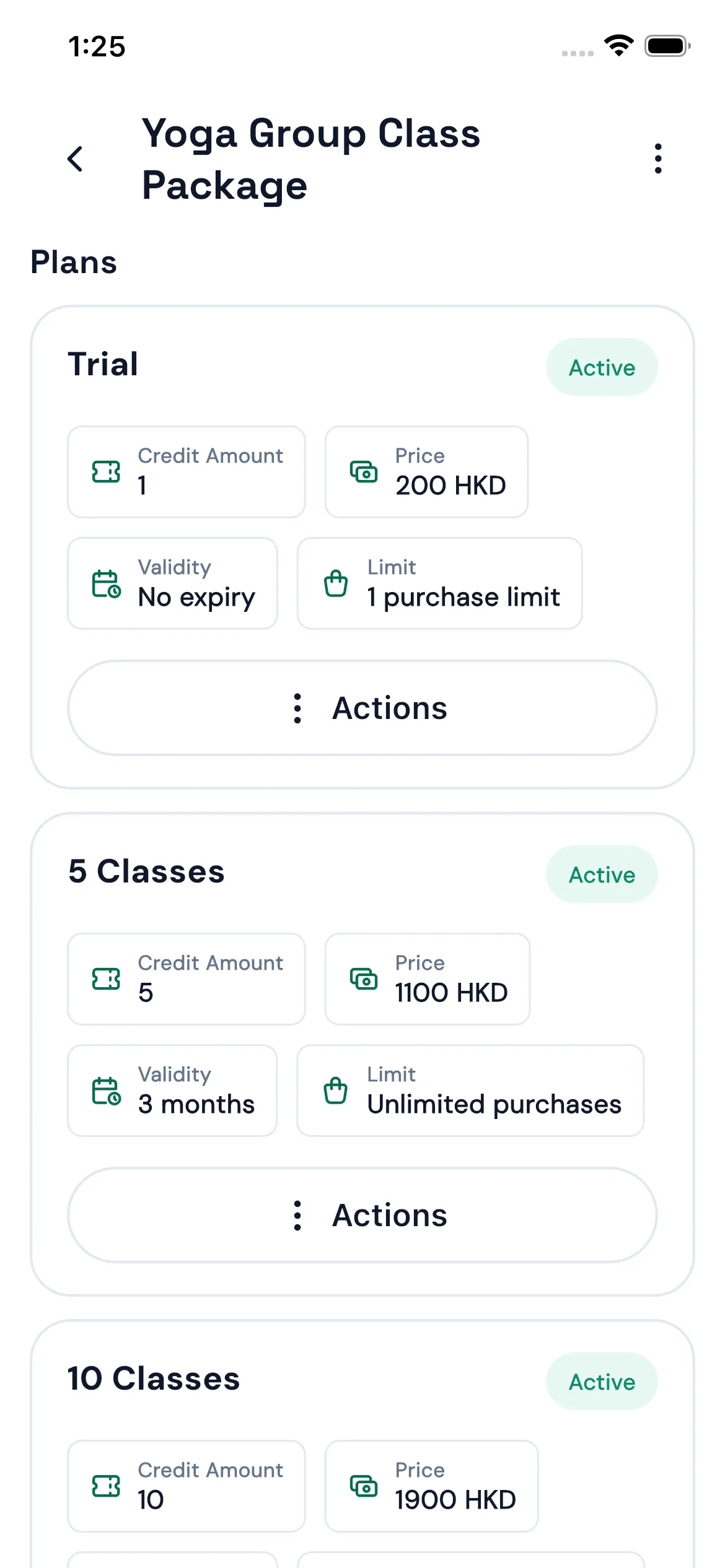
Package plans, remaining credits, and validity connect back to the same admin workflow.
Orders
From the order list to a single order detail, your team can check the customer, amount, payment status, transfer proof, and transaction history before taking action.
Filter by order status and payment status to find pending work quickly.
Review order details, purchased items, transaction records, and bank-transfer proof.
Staff can confirm orders, follow up payments, and handle exceptions from the app.
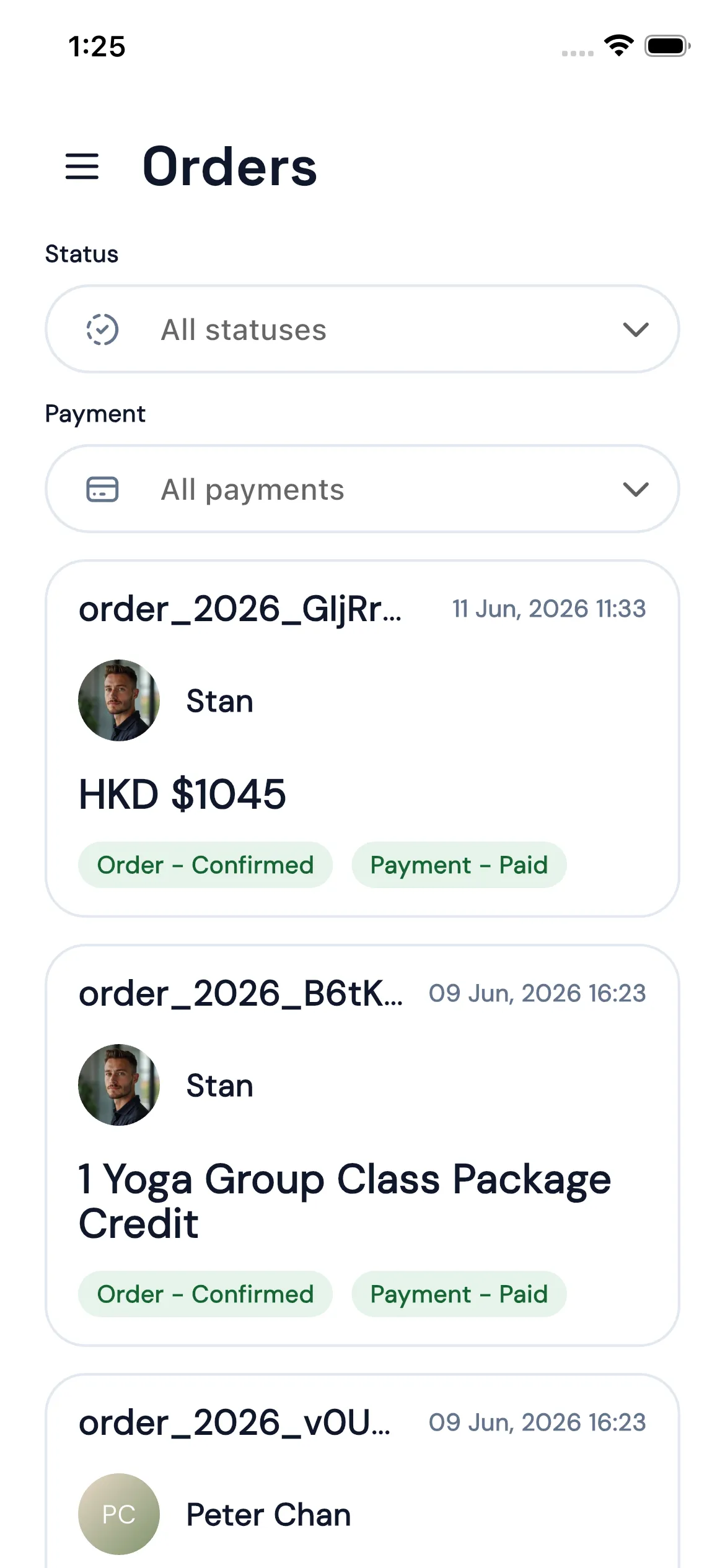
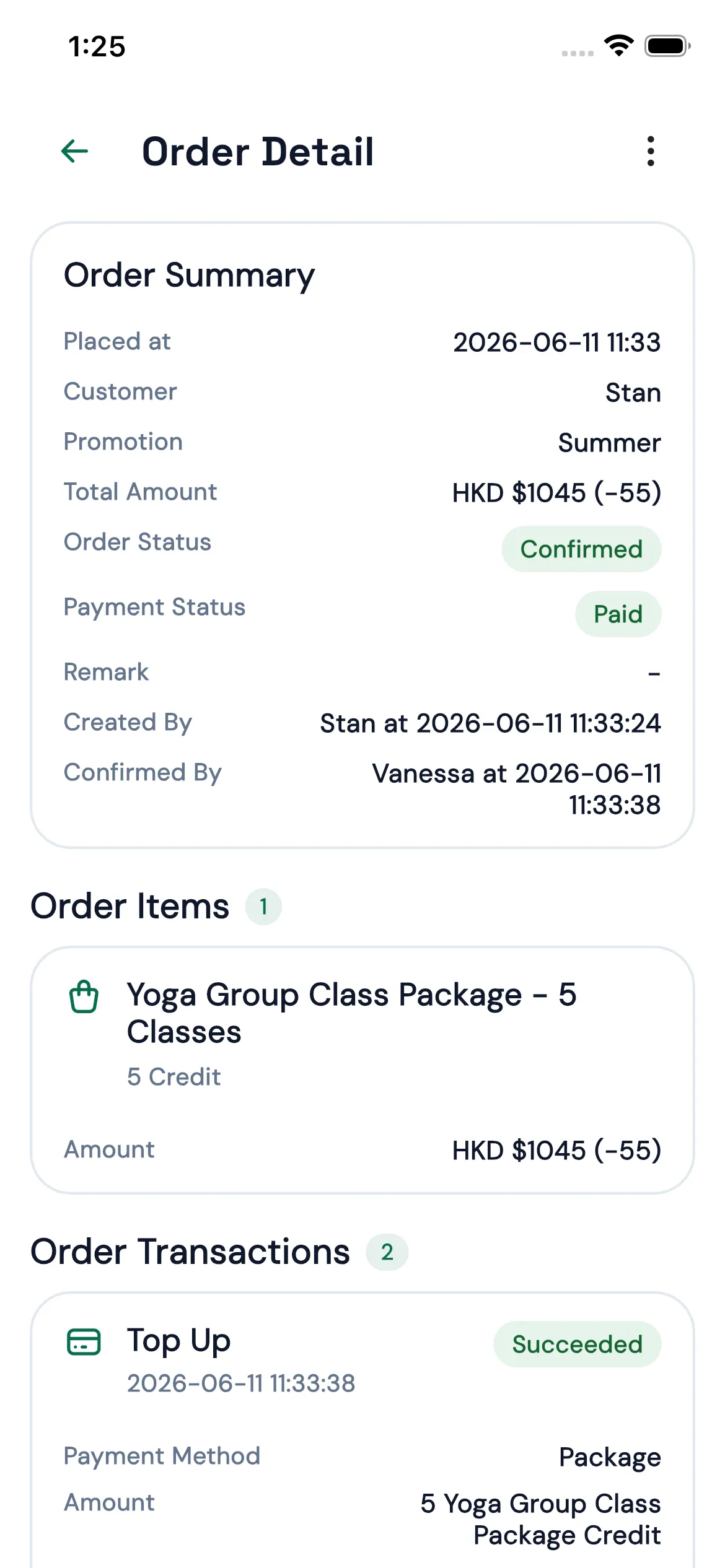
Owners can check operations on the move, front desk staff can handle orders on site, and instructors can confirm schedules and capacity from their phones.
Pricing
The Admin App is included in Bookjor plans. Start with the free plan, then upgrade when you need more bookings, staff members, locations, and operational features.
View full pricingFree
For new studios testing booking, package, and payment workflows.
25 bookings / month
2 staff members
1 location
USD 20/month
For growing studios with regular classes and team collaboration.
800 bookings / month
5 staff members
3 locations
More operations features
USD 50/month
For established studios with more classes, locations, and operating volume.
2500 bookings / month
10 staff members
6 locations
More operations features
Bookjor keeps the things your team needs to view, edit, and confirm in one place, without relying on message threads and spreadsheets.
We use site analytics to understand which pages help studios evaluate Bookjor. You can deny optional tracking, allow your selection, or allow all preferences.